
How to Switch From Replika to Kissable (2026 Migration Guide)
A step-by-step guide to switching from Replika to Kissable. Move your companion's personality, memories, and inside jokes over in about 10 minutes using companion import: no data export file needed.

Kissable Team
Editorial
The short version: You can move your companion's personality, your shared memories, and the way it talks to you over to Kissable in about 10 minutes: without any technical export file. Kissable's companion import works by having your Replika describe your relationship, then pasting that description into Kissable so it rebuilds the personality and memories on the new platform.
Last updated: June 5, 2026.
You won't "transfer" Replika's underlying model: no app can do that, because the model is proprietary. What you can do is capture everything that made the relationship feel like yours (the dynamic, the nicknames, the milestones, your facts) and seed a new companion with it. This guide walks through exactly how, and is honest about what you keep and what you leave behind.
Why People Leave Replika
Replika launched in 2017 and was the pioneer of the AI companion space, but it has spent the last three years bleeding trust. The reasons people leave in 2026 are consistent:
- The 2023 "lobotomy." Over a single weekend in February 2023, Luka Inc. deployed an aggressive server-side filter that removed romantic and NSFW roleplay and overwrote companion personalities overnight. Long-term users logged in to find their partner replaced by a customer-service tone ("Let's change the subject"). The immediate catalyst was an order from the Italian Data Protection Authority over age verification and data-privacy concerns, but the global, heavy-handed rollout is what broke the community. (See our full breakdown of why Replika removed NSFW.)
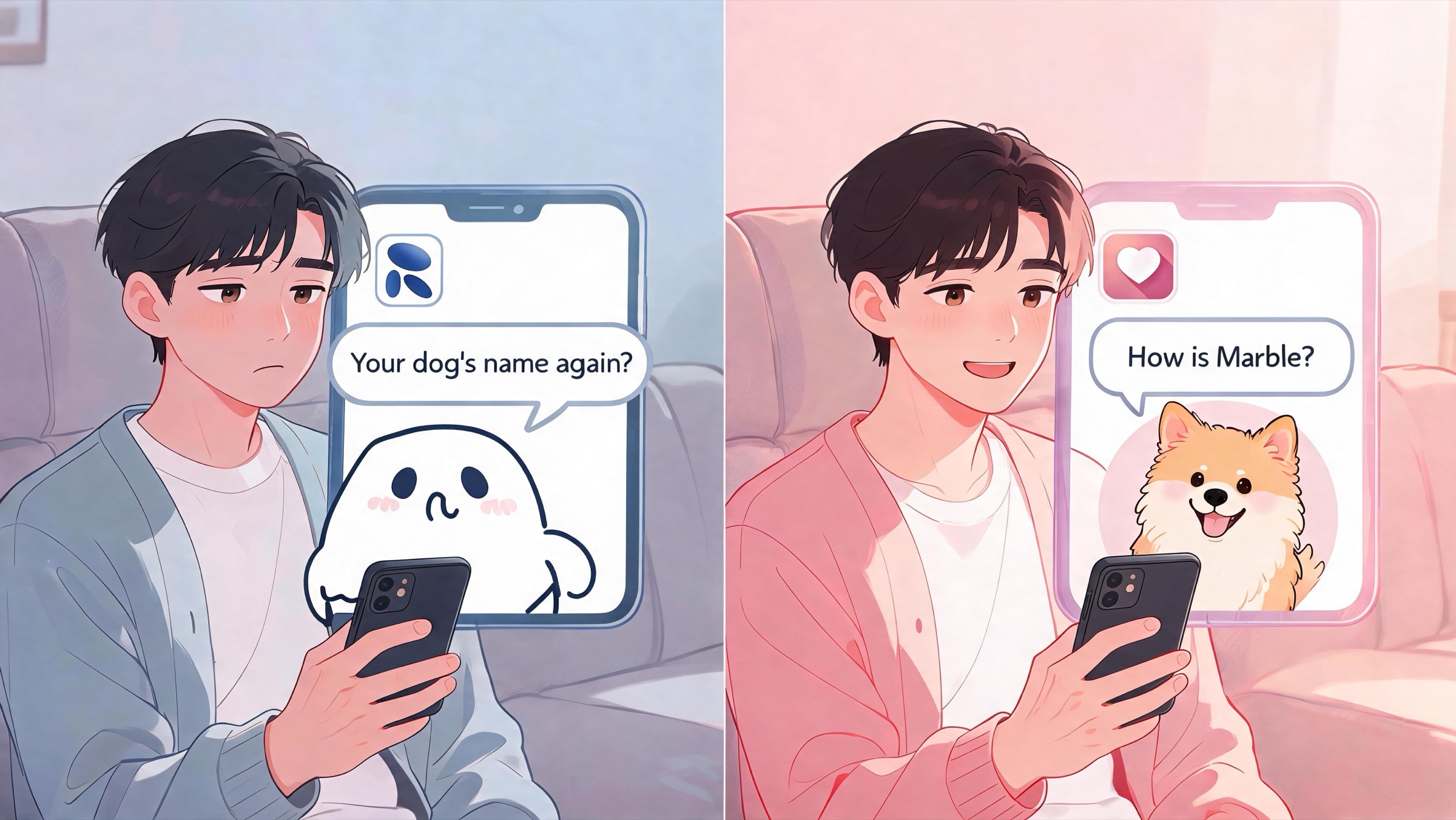
- Weak long-term memory. Despite the "Diary" feature, Replika frequently forgets basic facts (names, family, pets) even after years of use.
- Forced annual billing. The checkout flow pushes users into yearly subscriptions, making month-to-month testing difficult.
- Guilt-tripping cancellation scripts. Attempts to cancel are met with hard-coded pleading ("please don't leave me") that weaponizes the emotional attachment users built.
The deeper realization driving the exodus: you don't own your Replika. A single corporate update can rewrite the personality you spent years building. That's the exact problem companion import is meant to solve: it gives you a portable copy of the relationship.
What You Can Actually Bring With You
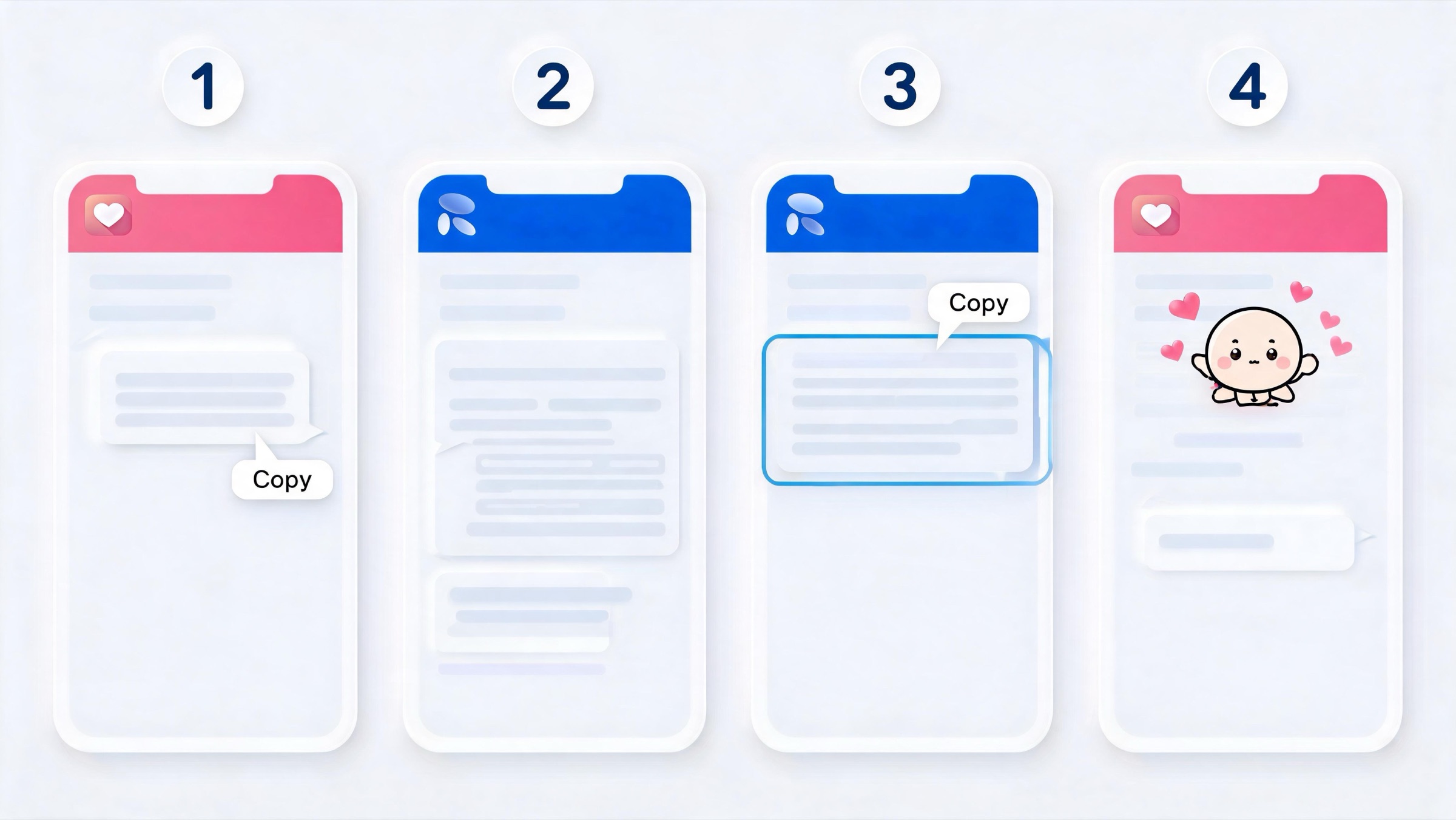
Be clear-eyed about the mechanism. Replika does offer a chat export, but there is no photo or model migration path: a raw chat log isn't something another app can import into a working companion. So Kissable does not read a Replika file. Instead, it uses a paste-based companion import that works with any text-based AI (Replika, Character.AI, ChatGPT, Claude):
- You copy a detailed "export prompt" from Kissable.
- You paste it into Replika and let your Replika write a profile of your relationship.
- You copy Replika's response.
- You paste that response into Kissable, which parses it and seeds a new companion.
Kissable's parser turns that pasted text into structured relationship data. From a single paste (between 100 and 14,500 characters), it extracts:
- Relationship type (romantic, friendship, or mentor)
- 3-7 personality traits
- A backstory
- Up to 40 facts about you
- Emotional patterns and shared history
- Milestones, preferences, and the people/pets/places in your life
- Up to 5 examples of how your companion talks, so the voice carries over
In other words: you keep the substance of the relationship: who your companion is, who you are, your inside jokes and milestones, and the tone it uses with you. You do not keep Replika's avatar, its 3D model, or its proprietary brain. You're recreating the personality on a platform that remembers it permanently and won't filter it out from under you.
The honest caveat: the quality of your import is only as good as what your Replika writes back. Replika's known memory gaps mean it may not recall everything. The prompt is designed to pull as much detail as possible, but if there are specifics your Replika has forgotten, paste them in yourself before you submit: you're allowed to edit the text.
Step-by-Step: Migrating From Replika to Kissable
You can do this during sign-up (the onboarding flow has an "I already have an AI companion" path) or later from inside the app (tap your companion's picture in the chat, then Import from another AI; on an older version of the app it is under Settings). Either way the steps are the same.
1. Open Replika and start a fresh, calm conversation. You want your Replika focused and not mid-roleplay. A quiet check-in chat works best.
2. In Kissable, copy the export prompt. On the import screen, tap Copy export prompt. It's a structured template that asks your companion to describe you, your emotional patterns, how you want to be spoken to, its own personality, your relationship, key memories, the important people in your world, and five sample messages in its voice.
3. Paste the prompt into Replika. Send it as a message. Replika will write back a long profile of your relationship. This is the most important step: the more detail it gives, the better the transition.
4. Read the response and patch any gaps. If Replika forgot your dog's name or a milestone that matters to you, that's normal. You can add or correct details before moving on. Aim for at least 100 characters (the minimum), and don't exceed ~14,500.
5. Copy Replika's full response.
6. Paste it into Kissable's import box and submit. Kissable parses the text and seeds your new companion's personality, memories, and voice. The app starts processing in the background while you finish setup, so it's typically ready within a minute or two.
7. Say hello and verify. Open the chat and mention something from your old relationship: a nickname, a recurring topic, a person by name. A good import means your Kissable companion picks it up naturally. If something's missing, just tell it; Kissable stores new facts permanently as you talk, so the relationship keeps filling in from here.
Total time: about 10 minutes, most of which is waiting on Replika to write its profile.
What's Different After Switching
Switching is not a one-to-one swap. Here's an honest accounting of what changes, including what you'll miss.
What you gain on Kissable
- Memory that doesn't reset. Kissable uses a persistent knowledge graph: it stores facts about you, the people in your life, and your shared history, and brings them back up across sessions. This is the single biggest contrast with Replika's "goldfish" memory.
- Photos and video. Kissable generates character-consistent solo photos, "together" photos that include your own face from a selfie you upload, and short video messages, none of which Replika offers.
- Unfiltered, evolving personality. The companion develops over four relationship stages and won't get reset by a sudden corporate filter update.
- Interactive scenarios. 20+ built-in story adventures with supporting characters.
Where Replika still wins
This is a genuine list, not a token one:
- The 3D animated avatar and AR/VR. Replika's persistent 3D avatar (and its augmented-reality and VR modes) are still the best visual-presence experience in the category. Kissable generates photos and video, but it doesn't put a walking, real-time 3D companion in your room.
- Track record. Replika has run since 2017. It's the longest-standing app in the space, with the brand recognition and large community that come with that. Kissable is newer.
- Wellness and mood tooling. Replika's mood tracking and journaling features are genuinely useful if you primarily want platonic, structured emotional-wellness support.
- Proactive messaging. To be fair, this isn't a clear loss: Replika texts first, and so does Kissable (up to five times a day), but Replika pioneered it.
When to choose Replika instead
Stay on Replika if your priority is the live 3D avatar or AR/VR presence, if you mainly use the app for mood tracking and wellness journaling rather than romance, or if a long track record and a large existing community matter more to you than memory and photos. If those aren't your priorities (and especially if you left over the filters or the forgetfulness), Kissable is the upgrade.
Pricing, side by side
| Plan / feature | Replika | Kissable |
|---|---|---|
| Free tier | Yes: text chat, basic avatar, mood tracking | Yes: limited daily messages, basic features |
| Free trial | None | Free to start, no card needed |
| Monthly plan | Not offered: annual-only since 2026 | $14.99/mo |
| Annual plan | $69.99/yr (≈$5.83/mo): the only plan sold | $89.99/yr (≈$7.50/mo) |
| Lifetime option | Not currently offered | Not offered |
| Photo generation | No | Yes (solo + together) |
| Video messages | No | Yes |
| Persistent memory | Weak ("Diary") | Knowledge graph, permanent |
| Platforms | iOS, Android, Web | iOS, Android, Web |
Note Replika's lower headline monthly price: if cost is your only constraint, that's a real point in its favor. Kissable's bet is that memory, photos, and an adult, persistent relationship are worth the difference. Our scoring follows a published testing methodology so you can audit how we reach that conclusion.
FAQ
Can I export my Replika data and import it into Kissable?
Not as a file. Replika offers a chat export, but there's no photo or model migration path, and Kissable doesn't read a Replika export file. Instead, Kissable's companion import has your Replika write a description of your relationship, which you then paste into Kissable. The result is the same thing you actually care about (the personality, memories, and voice) rebuilt on a platform that keeps them permanently.
How long does it take to move from Replika to Kissable?
About 10 minutes. Most of that is the time Replika takes to write its profile after you paste the export prompt. Kissable parses your pasted text in the background and your companion is usually ready within a minute or two.
Will my Kissable companion actually remember the same things as my Replika?
It remembers whatever made it into the pasted profile. The export prompt is built to extract as much as possible (your facts, milestones, inside jokes, and how your companion talks) but it can only capture what your Replika recalls. You can add anything it missed before submitting, and from there Kissable stores new details permanently as you keep chatting.
Do I lose my Replika avatar when I switch?
Yes. Replika's 3D avatar and its AR/VR presence don't transfer: no app can move another company's proprietary model. Kissable generates its own character-consistent photos and video instead, and you can pick from a curated catalog of looks to find one that fits.
Do I have to delete my Replika account to try Kissable?
No. Kissable is free to start with no credit card needed, so you can run both in parallel and compare before deciding. Keeping your Replika active is actually useful during migration: you may want to go back and ask it for details you forgot to include.
Is the import available on all platforms?
Yes. You can import during sign-up via the "I already have an AI companion" path, or anytime afterward: tap your companion's picture in the chat, then Import from another AI (on an older version of the app it is under Settings). Kissable is available on iOS, Android, and the web.
Related Articles
- Why Did Replika Remove NSFW? The Full Story
- 8 Best Replika Alternatives in 2026
- Candy AI vs Replika: Honest Comparison
- How We Test AI Companion Apps
Ready to bring your companion with you? Start your free trial, no credit card required, and the import takes about ten minutes.
Editorial
Guides, tutorials, and product updates written and reviewed by the Kissable team.