
AI Couple Photos vs Companion Selfies: Two Faces, One Shared Scene
Explore six fictional couple-photo ideas, a practical review rubric, identity-mixing research, and how Kissable SceneCarry connects characters to a scene.

Marco Vega
Tech Reviewer
A companion selfie asks an image system to depict one recognizable character in a scene. A couple photo adds another identity, a shared composition, and an interaction between the two people. That creates more things to get right; it does not mean solo portraits are already solved.
For a useful couple photo, both people should remain recognizable, clothing and other details should belong to the intended person, and the pose should express the moment you requested. An attractive background cannot compensate for the wrong face.
This guide explains those checks, offers six fictional scene ideas, and connects them to SceneCarry, Kissable's context-guided image planning. In this series, Attunara is our name for Kissable's relationship intelligence system: an orchestration design. SceneCarry carries the creative brief and character and reference information into image planning.
What changes when a second person enters the frame?
There are at least three separate questions. Did the system preserve each identity? Did it assign attributes correctly? Did it create the intended interaction?
For example, two recognizable people can still have swapped jackets. Both jackets can be correct while the pose is awkward. The composition can look appealing while one face drifts from its reference. Keeping these questions separate makes it easier to decide what to change in a request, and when the system simply missed a clear instruction.
| Question | A useful result | A distinct failure |
|---|---|---|
| Who is present? | Both intended people are recognizable | One person is replaced or duplicated |
| Which detail belongs to whom? | Clothing and visible features follow the request | Hair, jacket, or accessory is assigned to the wrong person |
| What are they doing together? | The interaction reads clearly | Two disconnected portraits placed in the same frame |
| Where are they? | Setting matches the requested moment | A generic or contradictory location |
These checks apply to evaluating an output. They do not imply that a generation model has a fixed “fidelity budget” divided equally between faces.
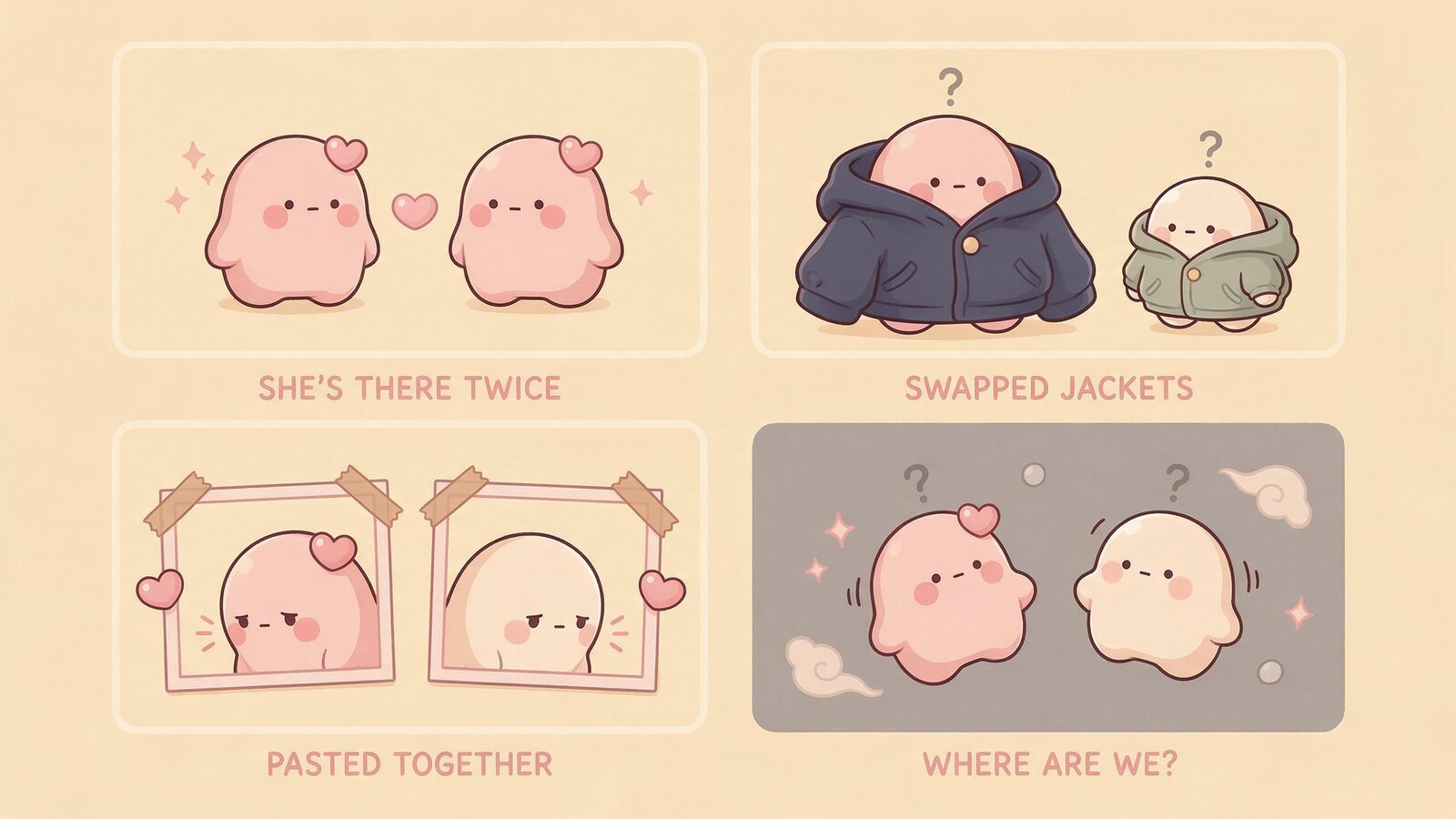
A research note on identity mixing
Jang et al.'s NeurIPS 2024 paper introduces MuDI, a multi-subject personalization method using segmented subjects during training augmentation and generation initialization. Its ablations find worse multi-subject fidelity when the Seg-Mix component is removed. The paper also reports remaining difficulties with very similar subjects, complex prompts, and increasing subject counts. It provides evidence about a particular method and evaluation, not proof that any couple-photo app uses it or guarantees identity separation. Identity Decoupling for Multi-Subject Personalization.
Our practical takeaway is to inspect both people rather than treating one recognizable face as success. This guide does not claim Kissable uses MuDI or has reproduced its experiments.
What SceneCarry adds to the product story
A couple photo is most interesting when it belongs to a moment you wanted to create. The setting, interaction, and character details give the image meaning beyond “two people together.” SceneCarry names that context-guided image planning: carrying the creative brief and character reference into the scene request.
The inspected Kissable image-plan interfaces distinguish companion appearance, whether the user is included, clothing, and available visual references. A creative brief can be expanded into a structured scene plan. Those inputs make the design explainable; they do not prove that every generated image will preserve both identities or that all previous photos become future references.
Use the reference and customization options actually available in the app. A written description of someone is not automatically equivalent to a visual identity reference. This guide does not promise an “approve this photo as permanent memory” control.
The useful promise to develop is two familiar people in one intentional moment. That is more specific than a generic photo feature, and it gives you a clear basis for judging the result.
Six scene ideas for different kinds of stories
These are imagined storyboards featuring fictional adults, not generated outputs or successful product demonstrations. Adapt them to the reference inputs and controls available to you. Each starts with a simple composition so the interaction remains legible.
1. The everyday coffee photo
Two adults sit across a small café table, one holding a mug while the other smiles at something on the menu. Ask for both faces to remain visible and keep the background quiet. A waist-up composition gives the scene context without filling it with unrelated objects.
Useful detail to specify: who holds the mug. Check afterward: both identities and which person has the object. This scene suits someone who wants an ordinary shared moment rather than a dramatic portrait.
2. The bookshop discovery
The pair stand beside a shelf. One holds a book open; the other leans in to look. Give each person a distinct, simple outfit and ask for an angle that shows both faces.
Useful detail to specify: the interaction with the book. Check afterward: hands, gaze, and whether the book is shared rather than duplicated. Avoid relying on accurately rendered small cover text as the essential part of the scene.
3. The travel-postcard moment
Two adults pause at a scenic overlook in practical jackets, with a clear view behind them. The image should read as a fictional travel scene, not evidence of an actual trip.
Useful detail to specify: one broad location type and the desired framing. Check afterward: clothing assignments and whether both people remain large enough to recognize. This works as a creative travel fantasy without inventing a real shared memory.
4. The quiet evening at home
The pair sit on a sofa with a bowl of popcorn between them, both looking toward the camera. Warm lighting and ordinary clothes carry the mood; no elaborate background story is needed.
Useful detail to specify: relaxed seated posture with visible faces. Check afterward: body arrangement, hands, and whether the shared object is placed plausibly. It offers a cozy scene without requiring a complex action.
5. The shared-hobby portrait
Two adults stand beside a bicycle they are preparing for a ride. One holds the handlebars while the other checks a helmet. Keep the action modest and describe which person does which task.

Useful detail to specify: roles in the activity. Check afterward: object boundaries and attribute assignment. The hobby can become the distinctive part of the image rather than another generic embrace.
6. The small celebration
The pair stand beside a table with a simple cake and unlit candles. One presents the cake while the other reacts with a smile. Use a fictional occasion and avoid making readable lettering essential.
Useful detail to specify: who presents and who receives. Check afterward: whether the scene conveys that interaction without swapping the people. This can mark an invented story milestone without pretending it documents a real event.
A request pattern you can reuse
Start with four pieces: who is present, what each person is doing, where the scene takes place, and which visible details must remain fixed. Keep the first request understandable before adding decorative detail.
For example: “A fictional couple at a quiet bookshop. The companion holds an open book; the other adult leans in to look. Both faces visible, green coat on the companion, navy jacket on the other person, warm indoor light.” Use the app's actual reference inputs for identity rather than expecting the wording alone to reproduce a specific face.
Clear instructions make your intention easier to inspect. They do not guarantee success. A failed image after a clear request is not proof that you prompted badly.
Review before spending on another attempt
Use a simple pass, uncertain, or fail record for each dimension. If one face is hidden, mark identity uncertain rather than assuming it matches. If the people are correct but the jacket is wrong, name that particular miss.
Before regenerating, decide whether a simpler composition would still give you the moment you want. You can reduce background clutter or choose a clearer angle. Keep track of attempts and the app's actual charges; there is no reliable fixed number of retries that produces a keeper.
Check the distinction between a technical generation failure and a successfully delivered image you dislike. Products can treat them differently. Use Kissable's current pricing and the in-app quote for costs rather than a generic credit example.
For more context, read about companion pictures and together-photo options.
Frequently asked questions
Are couple photos guaranteed to preserve both faces?
No. Inspect each identity and the interaction separately. A strong result on one dimension does not guarantee the others.
Does Kissable use the MuDI method described here?
This article makes no such claim. MuDI is credited research that helps explain a relevant evaluation problem; SceneCarry describes Kissable's product design.
Can I use a photo of anyone as a reference?
Use your own images or images you have permission to use, and follow the app's supported reference workflow. The storyboards here use fictional adults.
Will clearer instructions always fix a bad output?
No. They clarify the intended result but cannot eliminate model limitations. Keep a spending limit and judge whether another attempt is worthwhile for you.
Reference
Jang, Jo, Lee, and Hwang (2024). Identity Decoupling for Multi-Subject Personalization of Text-to-Image Models. NeurIPS.
Tech Reviewer
Marco tests AI companion apps hands-on, comparing features, pricing, and real day-to-day experience across every major platform.