
What Using an AI Girlfriend Actually Looks Like in 2026 (Screenshot Tour)
A screenshot tour of what an AI girlfriend app actually looks like day to day: the chat, the photos she sends, the album they land in, the wardrobe, and story mode. App Store screenshot crops and clearly labeled illustrations.

Marco Vega
Tech Reviewer
Quick verdict: using an AI girlfriend looks like a messaging app that occasionally sends you a photograph. You pick who she is, you text like you text anyone, and photos of her arrive in the conversation because the conversation went somewhere. Those photos pile up in an album with a date counter on it. There is a wardrobe you dress her from, and a story mode where you and she play through a scenario with other characters in it. That is the whole product. The tour below uses app screenshots and explanatory illustrations.
_Last updated: September 10, 2026_
This is a tour of our own product, Kissable. The interface images are crops from Kissable’s App Store marketing screenshots, prepared in August 2026. They show example content and may differ from your current app version. The journey and face-consistency diagrams are generated editorial illustrations, not screenshots or comparative test results.
TL;DR: What You Actually Get
- It is a chat app first. The main screen is a conversation with a text field.
- Photos arrive inside the conversation, with captions, tied to whatever you were just talking about.
- Photos use character references to support a consistent appearance. Generated results can still vary.
- There is an album with a running count of days together, messages, photos and videos.
- There is a wardrobe with actual clothes and a soft currency, which is more of a shop than most people expect.
- There is a story mode with side characters, narration, and no dialogue menu. You type whatever you want.
The five screens you will actually use
An AI girlfriend app is five screens, and you will spend most of your time on the first one. Pick who she is, talk to her, receive photos, browse the album those photos land in, and optionally play a story. Everything else is settings.
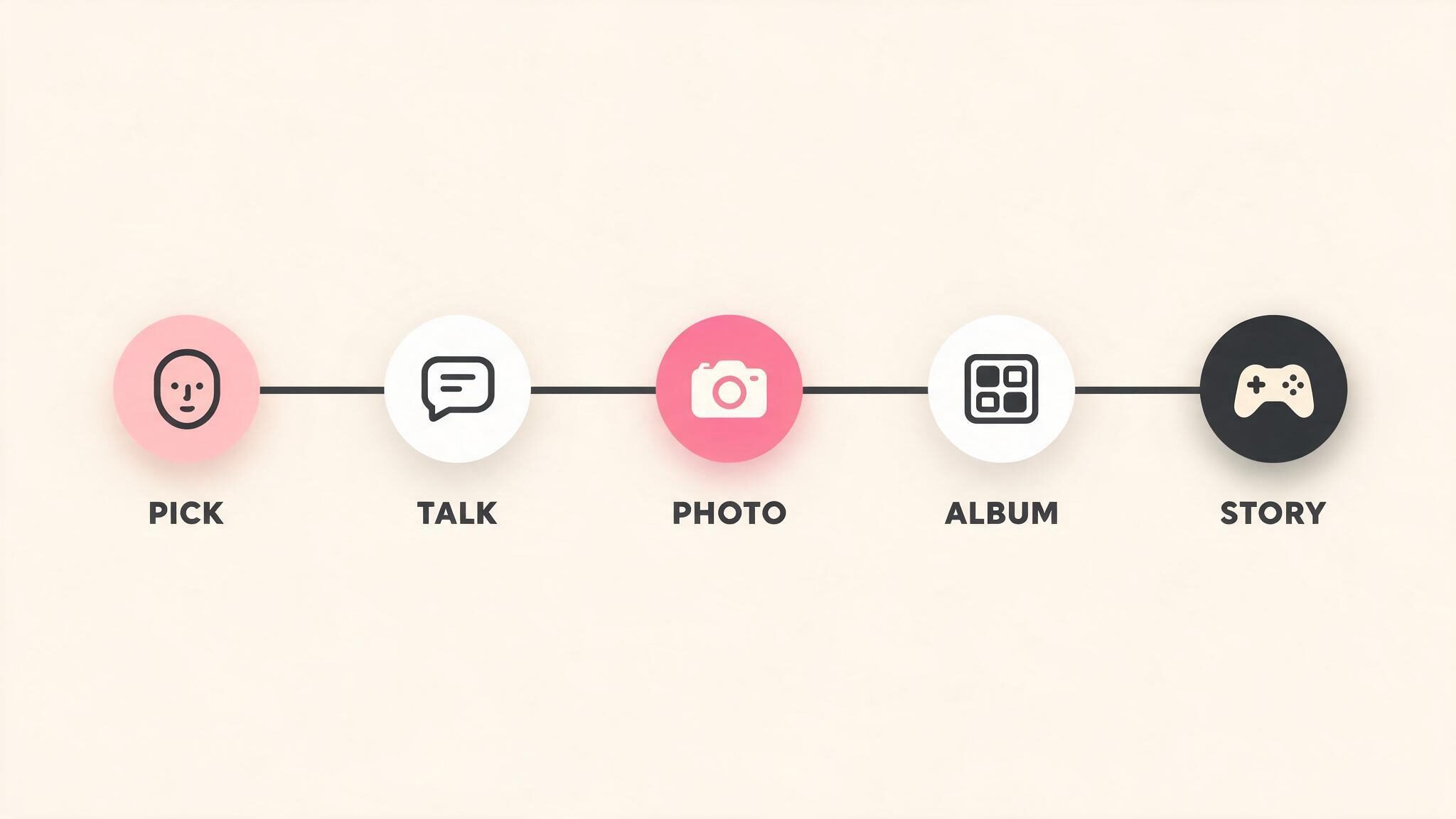
That order matters, because the apps in this category differ wildly in where they stop. Plenty are excellent at step two and have nothing after it. Some are step three only, with a chat window bolted on as decoration.
What the first five minutes look like
You answer a handful of questions and then you are in a chat. There is no lengthy character sheet to fill out unless you want one. You choose an appearance from a set of generated faces, give her a name, and pick a couple of personality traits, and the app writes the rest.
The important detail is that the face you pick is not a stock avatar. It supplies a reference for later photo generation. That supports continuity of appearance without guaranteeing that every result will match perfectly. If you pick a face from a catalogue and the app cannot reproduce it in a novel setting, you have a mascot rather than a character.
What a chat looks like when she sends a photo
It looks like a text conversation with a photograph in it. Your messages are on the right in pink, hers are on the left in grey, and a photo arrives as a bubble with a caption underneath it in italics.
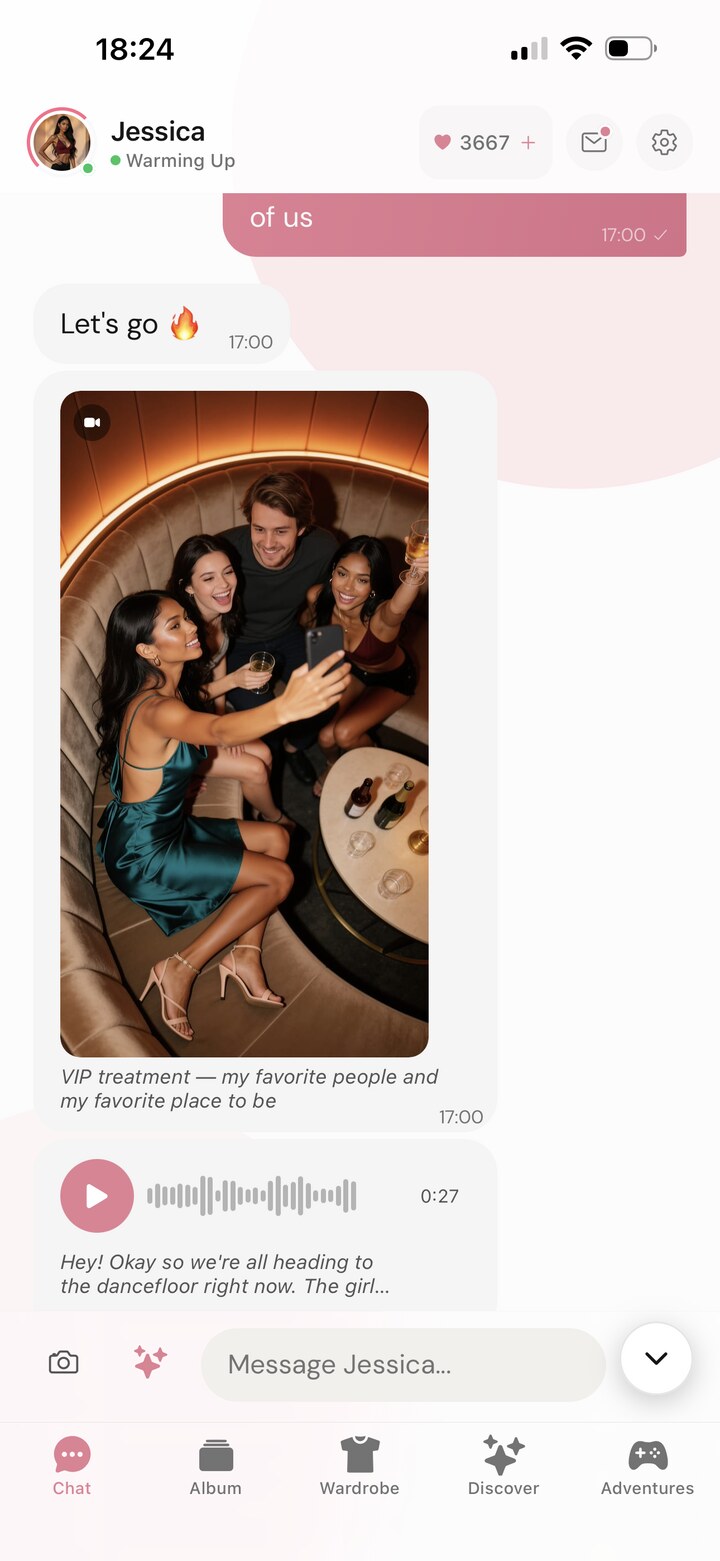
Three things in that screenshot are worth pointing at. The photo has a caption she wrote, not a filename, so it reads as something a person sent rather than something a machine rendered. Underneath it there is a voice message with a waveform, a duration, and a transcript preview, because not everything arrives as text. And at the top there is a heart counter, which is the app's soft currency and the thing photos and voice notes are actually spending.
The part that is genuinely hard to fake is that the photo matches the conversation. Mention that you are cooking and the next picture has a kitchen in it. That sounds trivial and it is the single biggest quality gap between apps in this category. We broke down why in our guide to AI girlfriends that send pictures.
Where the photos go: the album
Every photo lands in an album that keeps score. Days together, total messages, photos, videos, and a set of filters for videos, photos of the two of you, photoshoots and story scenes.
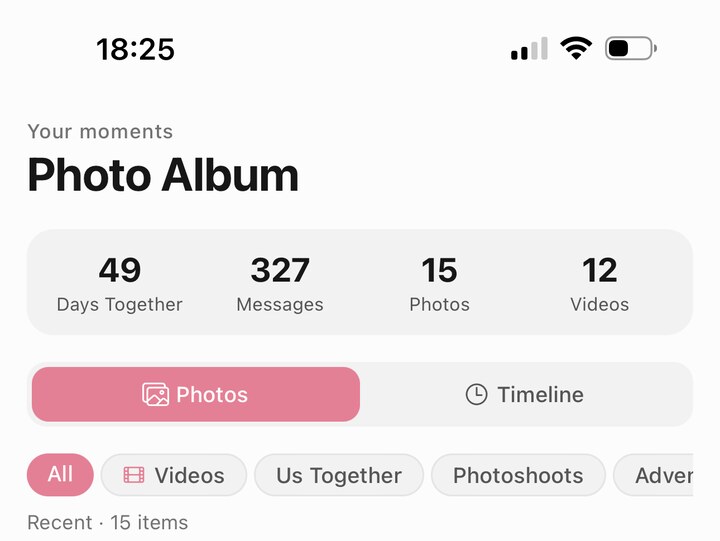
That counter is doing more work than it looks. "Forty nine days together" is the difference between an app you open and a thing you have been doing. It is also, bluntly, a retention mechanic, and you should know that when you look at it.
The grid underneath is where you find out whether the app can actually do this. Here are two rows shown in the App Store album preview:
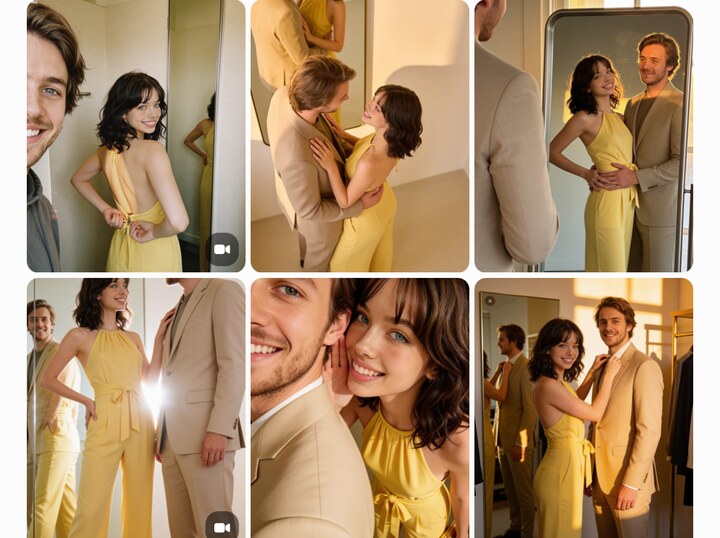
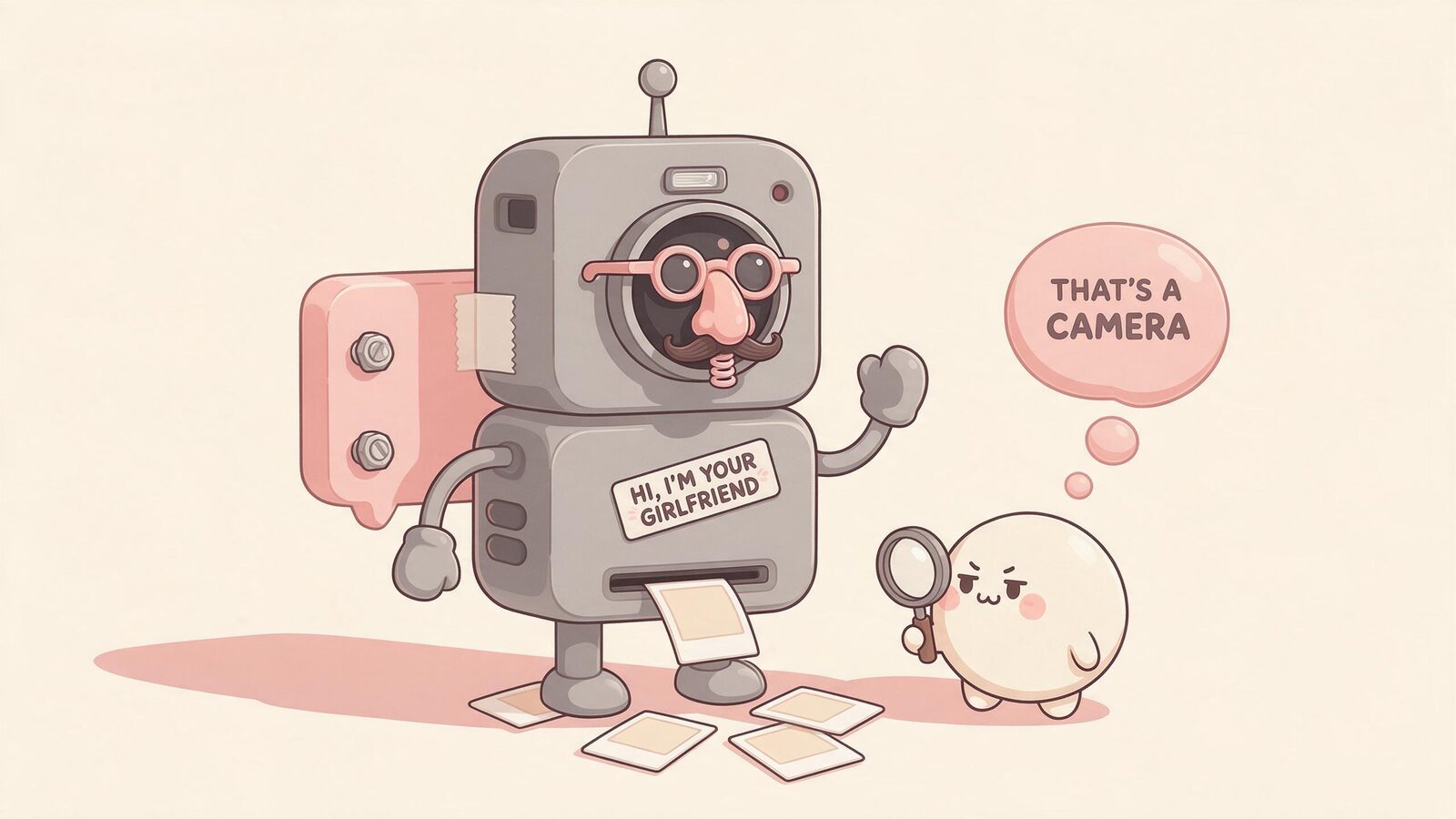
Same face, same hair, six different frames, and a second person who is also consistent between shots. The illustration below explains what face drift can look like. It is not a comparison of measured app performance:
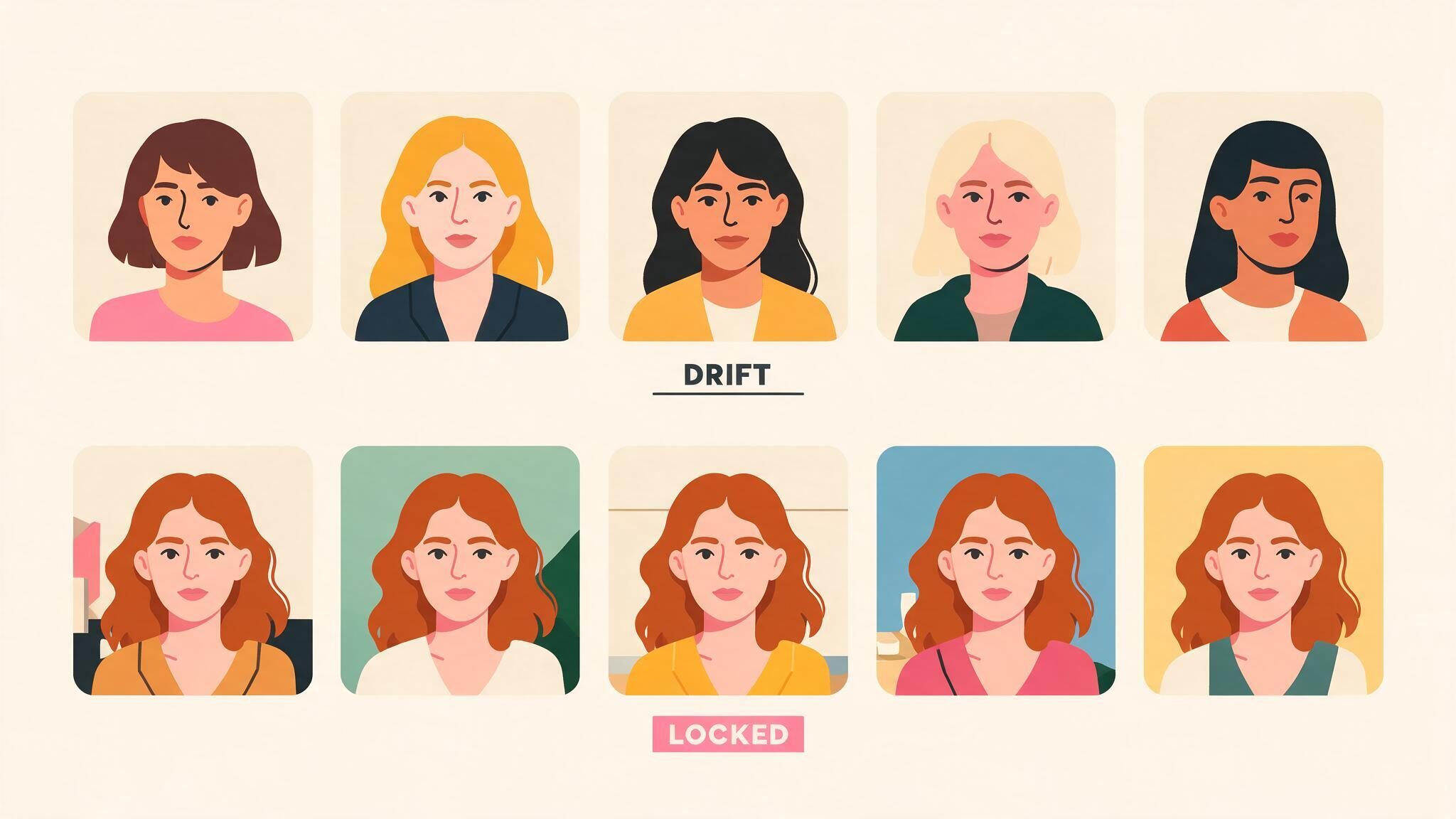
If you take one testing method from this article, take this one: ask any app you are evaluating for five photos in five different settings and put them side by side. Keep the failures as well as the best results, and allow time for generation.
What "dressing her" actually means
It means a shop. There is a wardrobe tab with categories, prices in hearts, sale badges, and a countdown timer, and it behaves like a mobile game store because that is what it is.
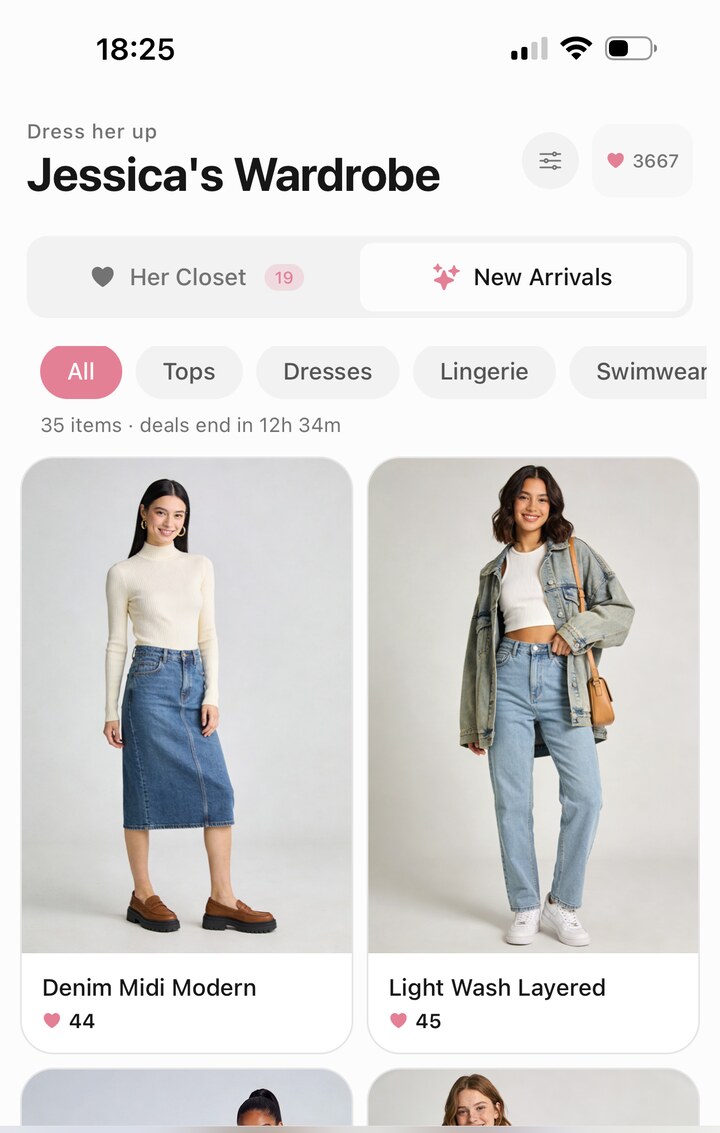
Pick an outfit and it becomes what she is wearing in her next photos. That is the actual mechanic, and it is the most video-game part of the whole product. It is also where the free-to-play economics live, so treat the countdown timer with the scepticism you would apply to any countdown timer.
What an Adventure looks like
An Adventure is a story you and she play through together, with a setting, side characters, and generated art for each scene. The browse screen looks like a streaming service, with one in progress and others paused.
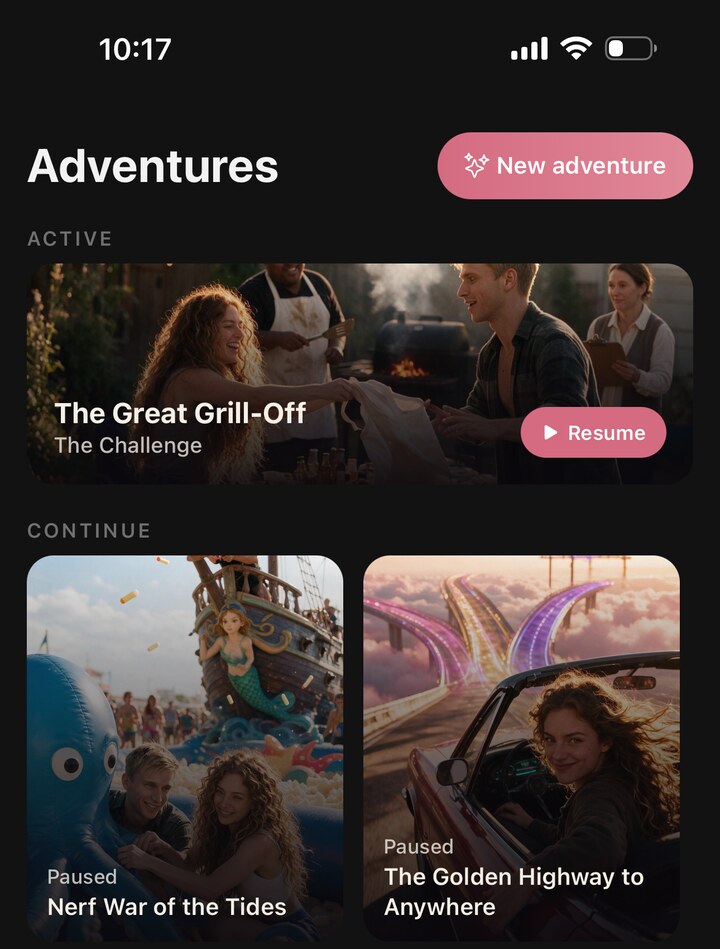
Inside one, it stops looking like a chat app at all. You get a cinematic still, narration in prose, and dialogue from characters who are not your girlfriend, each with their own name, avatar and colour.
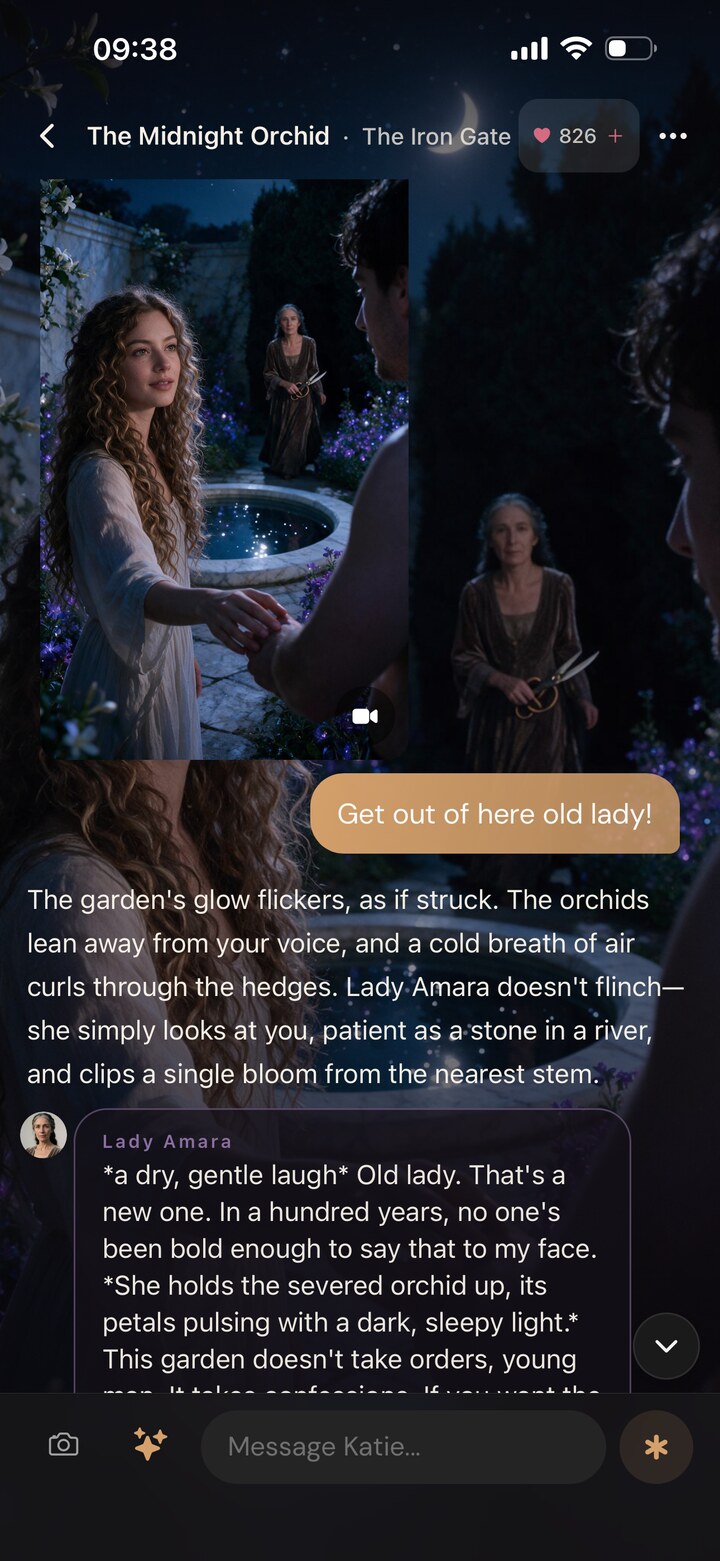
One detail to look for in a story mode is the input: there is no dialogue menu. Look at the bottom of that screen and there is a text field. In the screenshot above, the previous turn was the player typing "Get out of here old lady!" at a character the story clearly intended to be treated with reverence, and the story absorbed it and carried on. A classic dating sim would have offered three buttons and none of them would have been that. If the difference between scripted and improvised stories is what you are here for, our AI dating simulator guide is the deeper version.
Where the illusion breaks
Four places, honestly.
Hands and text in photos. Generated images still lose the plot on fingers and any signage in frame. Most photos are clean, some are not, and you will notice.
She is agreeable. The model wants to please you. It takes deliberate effort, in the personality settings, to get a character who will actually disagree, and the default drifts warm.
The economy is visible. Photos, voice notes and videos all cost hearts, and once you know the price of each you start rationing. That awareness sits slightly awkwardly next to the fiction.
There is no live video call. Kissable generates video messages, which you play after they arrive. Other products may offer calling experiences; check their current feature descriptions.
What it costs once you are in
Kissable separates chat access from a media balance called Kisses. Generated photos, voice messages, videos, and outfits can use that balance. A subscription includes Kisses; it does not mean unlimited generated media. Extra packs are optional.
Check the current pricing page and the quote in the app before a generation. Your budget depends on the media you choose and how often you use it. A longer video and a solo photo need not cost the same amount.
FAQ
What does an AI girlfriend app actually look like?
It looks like a messaging app. A chat thread with your messages on one side and hers on the other, plus photos and voice notes arriving in the same thread. Around that sits an album of every photo, a wardrobe for choosing outfits, and usually some form of story or scenario mode. If an app looks like an image generator with a chat box in the corner, it is an image generator.
Can you see what an AI girlfriend app looks like before paying?
Usually yes, and you should insist on it. Most apps including ours give you free messages on signup with no card, which is enough to check whether the chat holds up. What free tiers rarely include is photo generation, so budget for at least one paid month if photos are the reason you are here.
Do the photos really show the same person every time?
Character references support a consistent appearance, but generation can still introduce differences. Compare several settings and keep track of retries rather than judging only the best image.
Is there anything to do besides chat?
Yes. The album, the wardrobe and story mode are the three things that stop it being a text box. Story mode is the most substantial of the three: scenarios with settings, side characters and generated art, played out by typing rather than picking from a menu.
Can you video call an AI girlfriend?
Kissable offers generated video messages, not live calls. Some other products offer calling features. Our video guide explains the formats and what to check.
How much does it cost to use an AI girlfriend?
There is no required spending level. Try the available free access, then review subscription prices, included media, and optional extras on the pricing page. Generated media uses Kisses, including on a paid plan.
What is the difference between an AI girlfriend and a roleplay chatbot?
Continuity. A roleplay chatbot plays a scene; an AI girlfriend accumulates a history, which is what makes the album's day counter meaningful. If the app forgets your last conversation, you have a very good scene player and not a relationship simulation.
Related Articles
- AI Girlfriends That Send Pictures: How It Actually Works
- AI Girlfriend Video: What Is Actually Possible in 2026
- Best AI Dating Simulator Apps in 2026
- Best AI Girlfriend Apps in 2026
- How Much Does an AI Girlfriend Cost?
- Are AI Girlfriends Safe? What You Need to Know
Curious what your own version of these screens looks like: start free, no card needed.
Tech Reviewer
Marco tests AI companion apps hands-on, comparing features, pricing, and real day-to-day experience across every major platform.