
AI Girlfriend Video: What Is Actually Possible in 2026
Generated AI girlfriend clips versus live calls: see an example, understand how photo-to-video works, and check quality, duration, audio, and credit costs.

Marco Vega
Tech Reviewer
AI girlfriend video can mean a generated clip, an animated avatar call, or a conversation that uses your camera. These are different experiences. Kissable sends generated video messages in chat; it does not offer live video calling. This guide shows a sample clip and explains what to check before spending your media balance.
_Last updated: September 10, 2026. Written by the Kissable team about our own product. The embedded clip is an illustrative generated asset, not a recording of a live call or an independent comparison test._
Generated clips and live calls: the difference
A generated clip is a finished video file. You request it, wait for generation, and play it when it arrives. It cannot react to a question you ask while watching it.
A call is an ongoing exchange. Depending on the product, you may see an animated character, share your camera with an AI that can interpret what you show, or use another visual interface. A camera button alone does not tell you which experience you are buying.
| Format | What you receive | Can it respond while you speak? | What to check |
|---|---|---|---|
| Generated video message | A playable file | No | Duration, motion, sound, generation cost |
| Avatar call | An animated character during conversation | Depending on the app | Response delay, voice quality, supported devices |
| Camera-enabled conversation | AI responses to what you show | Depending on the app | Camera permissions, visual understanding, availability |
Some companion products advertise calling features: for example, Replika’s own App Store description describes voice/video and showing the AI what you see. That does not establish how well every format works. Check the current product description and try the exact feature you want. It would be inaccurate to say that no companion app offers video calls.
What a generated clip looks like
Here is a short generated scene of a woman on a pier. It shows the format: a brief moment of movement, saved as a file you can replay.
This sample is editorial illustration created for this guide. It is not a live customer conversation, a typical-output benchmark, or a promise that a particular prompt will reproduce the same result.
The appeal is easy to understand. A still image captures the scene; a little movement can make the same scene feel more immediate. You might want a smile from the cafe table or a glance back at the end of a fictional walk. The clip becomes one moment in the conversation.
How photo-to-video generation works
One way to create a companion video is to start with a generated photo and use it as a reference for motion. Kissable uses an image-to-video workflow. The result depends on both the source image and the video generation step.
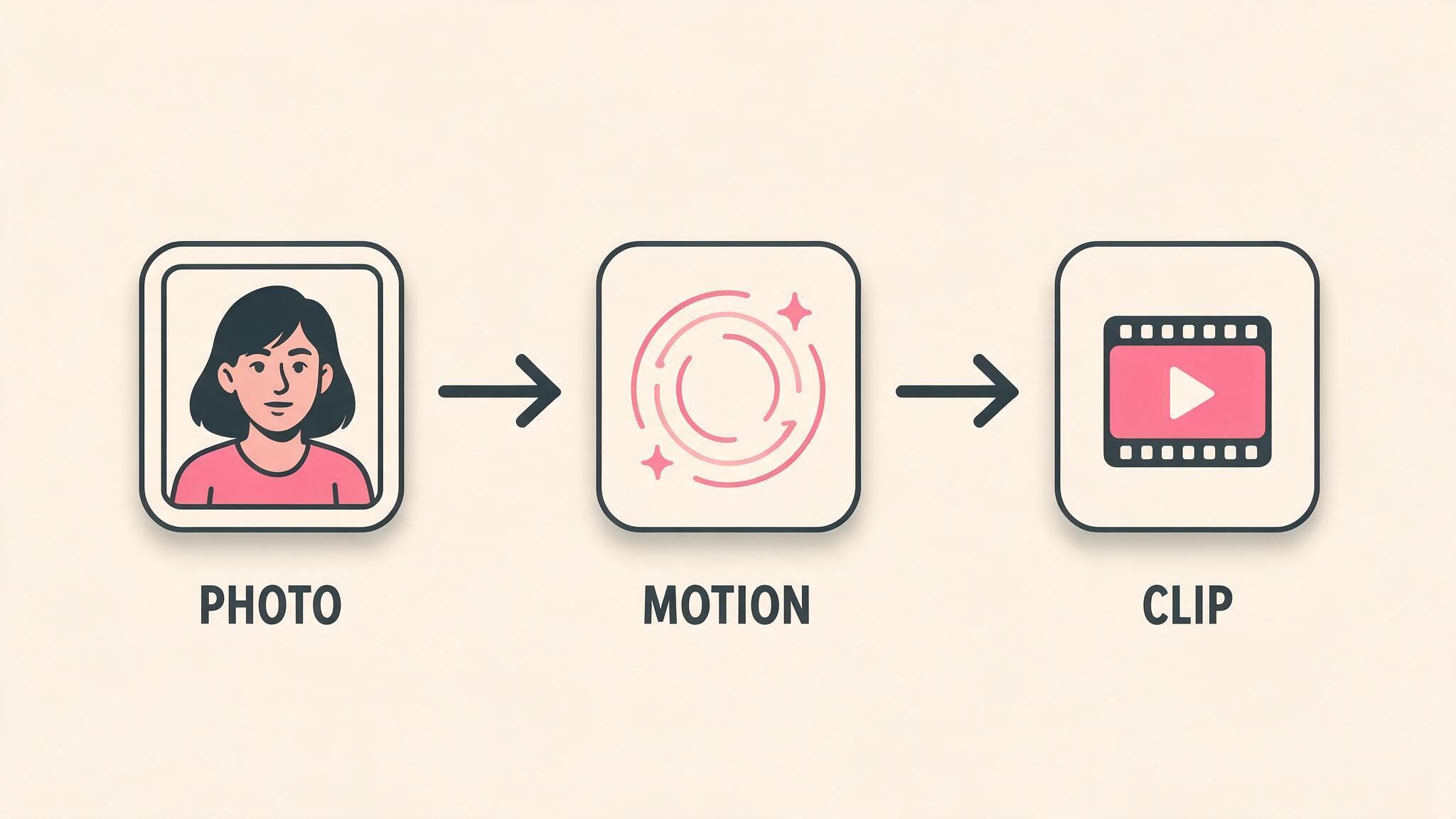
_Illustrative workflow diagram._
The source photo establishes the face, clothing, setting, and composition. The video step adds movement. A good starting image helps, but it does not guarantee a consistent face through every frame. Motion can introduce new errors even when the still looks convincing.
When judging a clip, watch the beginning, middle, and end. Does the face remain recognizable? Do hands and nearby objects move plausibly? Does the background stay coherent? An attractive first frame answers only the first part of the question.
A simple motion request is a useful starting point: turning toward the camera, smiling, or looking out of a window. More people, rapid movement, and complicated interactions give the generation more things to maintain. This is practical guidance, not a measured success-rate comparison.
How video fits into Kissable
Kissable puts generated media into the conversation. A video message is something you can play after it arrives, alongside text, pictures, and voice messages. It is separate from a live call.
For the surrounding interface, see our screenshot tour. The useful distinction is between asking for a standalone render and asking for a moment from the scene you have been talking through.
For example, first establish a cafe scene in chat. Then ask for a short clip from the table. That gives the request a setting. It still may need another attempt if the movement or character appearance is wrong.
Check the duration and cost before generating
There is no single industry-wide duration limit. The options depend on the app, model, device version, and available feature rollout. Use the duration and Kisses quote shown in your current Kissable app rather than treating an older screenshot as a price list.
Kissable uses Kisses, an in-app balance, for generated media. A subscription includes an allowance; it does not make every video unlimited. Photos, voice messages, videos, and other purchases can draw on the same balance. Extra packs are optional purchases.
Before generating, check:
- Selected duration. A longer clip may use more Kisses.
- Quoted cost. Compare it with your current balance.
- Audio. A generated clip and a separately generated voice note are different things; check which you are requesting.
- Generation status. Rendering is not the same as instant playback. Wait for the request to finish before trying again.
- Available allowance. Decide how much to keep for other media.
The current pricing page covers subscriptions and packs. Check the checkout total before buying. A fixed subscription price and a finite media allowance can coexist; “included” should never be read as “unlimited renders.”
A practical comparison you can do yourself
Use the same small scene in every app you are considering. Choose one character, one setting, and one motion. Save the original photo as well as the video.
| Check | What to record |
|---|---|
| Identity | Does the face remain recognizable throughout? |
| Scene | Does the location and clothing match your request? |
| Motion | Are gestures, hands, and objects plausible? |
| Audio | Is there sound, and is it appropriate to the clip? |
| Time | How long from submitting to a playable result? |
| Cost | Credits spent, including retries |
| Conversation | Does the clip fit what you were discussing? |
Try more than one clip before drawing conclusions. Keep failed attempts in your notes: comparing a competitor’s first attempt with a hand-picked promotional example would tell you very little. This checklist is a suggested method, not a test we claim to have completed across the category.
Can you generate one for free?
Free access and starter balances differ between products and can change. In Kissable, check your available Kisses and the cost shown before generation. A free starting balance is finite and may also be used on other features. Do not assume it guarantees a particular number of videos.
If a service advertises free video, look for duration limits, watermarks, queues, export restrictions, and whether the allowance renews. Those details matter more than the word “free.”
FAQ
Can an AI girlfriend send videos?
Yes. Kissable can send generated video messages in chat. These are playable files, not a live feed from a real person.
Can you video call an AI girlfriend?
Some companion products offer calling or camera-enabled experiences. Kissable’s video feature is generated clips, not live calling. Confirm what a particular app means by “video” before subscribing.
How long are AI girlfriend videos?
Duration varies by product and generation option. Check the current selector and cost quote. A short sample in a guide is not an industry limit.
Why can the face change during a clip?
Video generation can alter identity as it adds motion. The source image, reference handling, scene, and video model all affect the outcome. A face change is not enough to diagnose a single technical cause.
Do generated videos have sound?
Some do; others are silent. Check the selected feature. An audio voice message alongside a video does not mean the video itself contains synchronized speech.
What should I try first?
Start with a simple scene and restrained motion, then check the face, scene, cost, and wait. If you prefer an ongoing spoken exchange, investigate calling features separately.
Related articles
Tech Reviewer
Marco tests AI companion apps hands-on, comparing features, pricing, and real day-to-day experience across every major platform.