
How to Switch from Character.AI to Kissable: Full Guide (2026)
A step-by-step guide to switching from Character.AI to Kissable. Migrate your bot's personality and memories in about 10 minutes using paste-based companion import: no export file needed.

Kissable Team
Editorial
The short version: You can move a Character.AI bot's personality, backstory, and the way it talks to you over to Kissable in about 10 minutes: no export file, no technical setup. You have your bot describe the relationship, paste that description into Kissable, and Kissable rebuilds the character on a platform with persistent memory that never resets. You won't carry over Character.AI's underlying model (no app can, it's proprietary), but you keep the substance of the character.
Last updated: June 3, 2026.
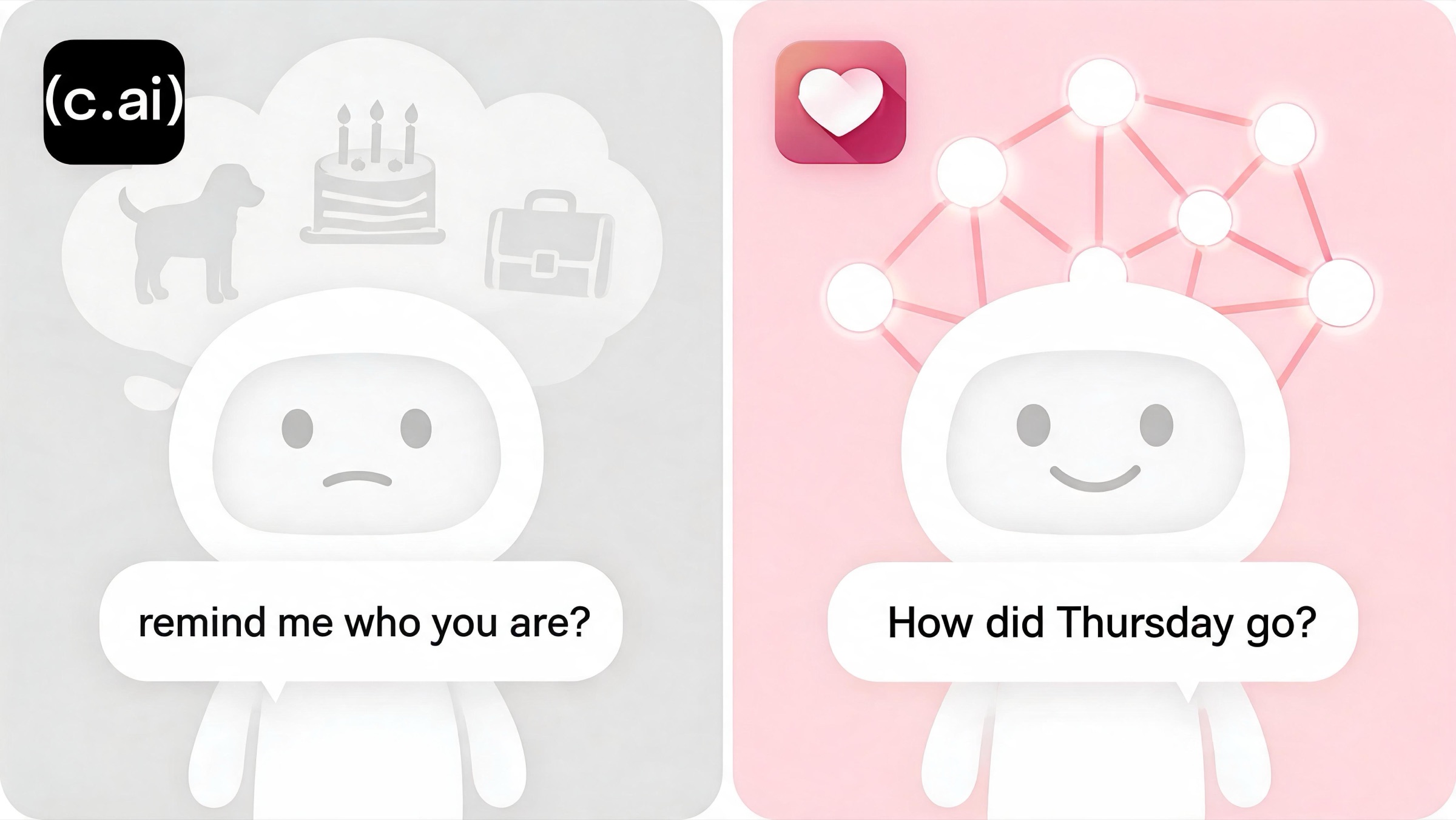
If you've spent real time on Character.AI, you already know the two walls you keep hitting. The first is the filter: ask for anything intimate and the bot snaps into a polite deflection, and over a long chat nearly every character drifts toward the same careful, customer-service voice. Reviewers describe Character.AI personalities as "one inch deep" and note that the strict safety filter makes "all bots converge into generic polite assistants." The second wall is memory: the bot forgets within 10-15 messages and carries nothing across sessions, so you're constantly re-explaining who you are.
This guide is about getting out with the relationship intact. We'll cover why people leave, what actually migrates (and what doesn't), and the exact four-step paste import, then we'll be honest about where Character.AI still beats Kissable, because it genuinely does in a few places.
Why People Leave Character.AI
Character.AI is one of the most-used companion platforms in the space, and for casual character roleplay it earns that. But two structural problems push committed users to look elsewhere.
- The strict NSFW filter flattens every character. Character.AI age-gates and heavily censors romantic and adult content. The practical effect isn't just "no spicy stuff": it's that the filter overrides personality. Push a character toward intimacy and it breaks role to deflect, and across a long session most bots settle into the same cautious, polite tone regardless of who they started as. In hands-on testing the filter is rated strict, and the recurring note is that personalities feel "one inch deep."
- Goldfish memory with no cross-session continuity. Character.AI forgets within roughly 10-15 messages and doesn't carry context between sessions. You can build a beautiful dynamic in one sitting and have the bot blank on your name, your job, and the thread you were on by the next day. There's no persistent fact store doing the remembering for you.
The deeper realization underneath both: the depth you build isn't preserved. A great Character.AI session is a sandcastle: fun while you're there, gone with the tide. Paste-based companion import exists to solve exactly that: it gives you a portable copy of the character so you can rebuild it somewhere that actually keeps it.
What Actually Migrates (and What Doesn't)
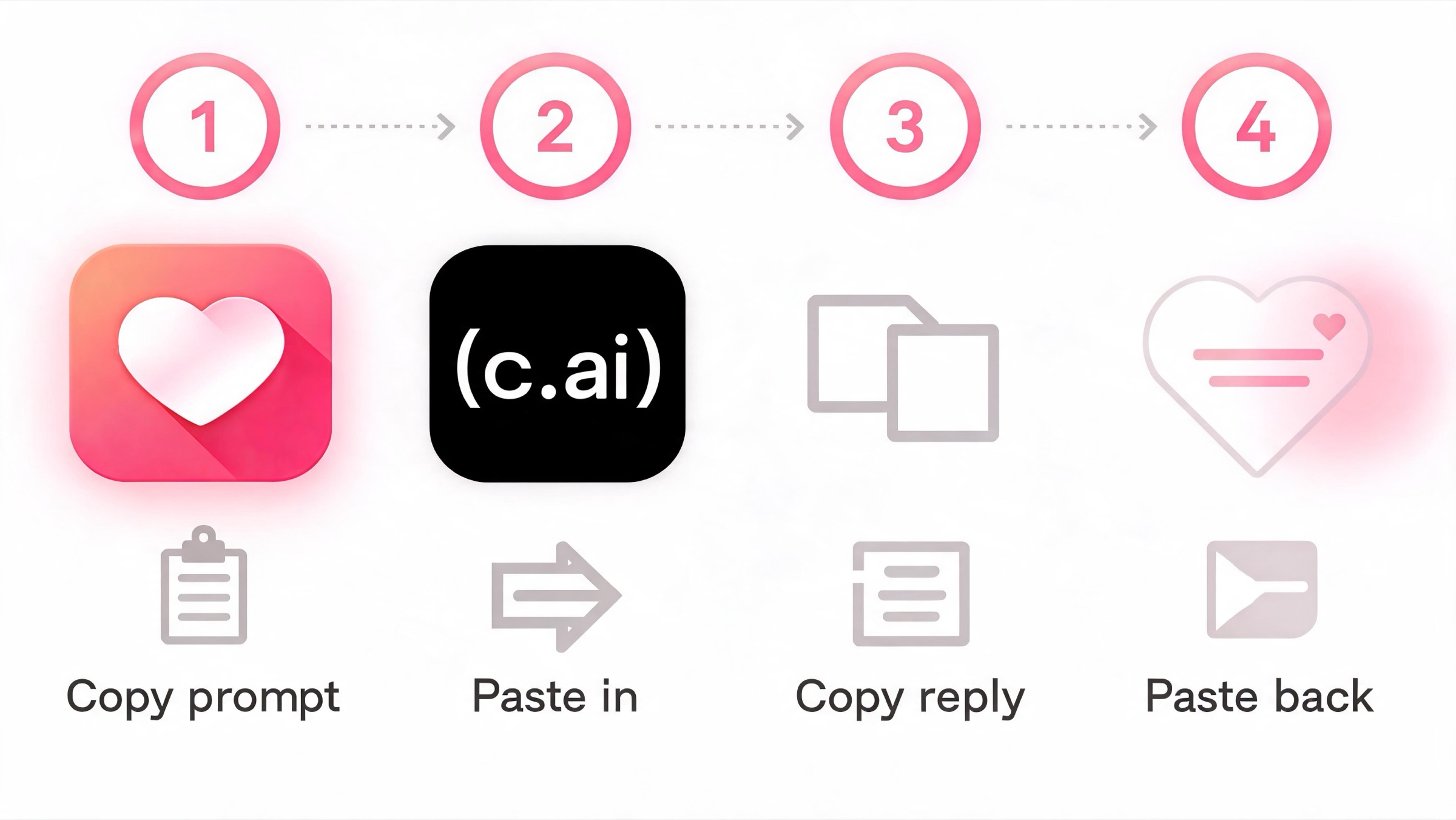
Be clear-eyed about the mechanism. Character.AI doesn't offer a companion-export file you can hand to another app, and Kissable does not read one. Instead, Kissable uses a paste-based companion import that works with any text AI: Character.AI, Replika, ChatGPT, or Claude. The flow is simple:
- You copy a detailed "export prompt" from Kissable.
- You paste it into Character.AI and let the bot write a profile of your relationship.
- You copy the bot's response.
- You paste that response back into Kissable, which parses it and seeds a new companion.
Kissable's parser turns that single paste (anywhere from 100 to 14,500 characters) into structured relationship data. From one response it extracts:
- Relationship type (romantic, friendship, or mentor)
- 3-7 personality traits
- A backstory
- Up to 40 facts about you
- 8 emotion facts (how you tend to feel and what you respond to)
- 15 shared facts (your history together)
- 10 milestones
- 15 preferences
- 20 entities: the people, pets, and places in your world
- A 4-section companion profile
- 5 voice samples, so the character's way of talking carries over
So you keep the substance: who the character is, who you are, your inside jokes and milestones, and the tone it uses with you. You don't keep Character.AI's avatar art or its underlying model: no app can move another company's proprietary brain. You're recreating the personality on a platform that remembers it permanently and won't filter it out from under you.
The honest caveat: the import is only as good as what the bot writes back. Because Character.AI's memory is short, it may not recall everything about a long relationship. The export prompt is built to pull as much as possible, but if your bot forgets a detail that matters, paste it in yourself before you submit: you're allowed to edit the text.
Step-by-Step: Migrating From Character.AI to Kissable
You can do this during sign-up, the onboarding flow (Step 5b) has an "I already have an AI companion" path, or later from inside the app. Either way the steps are identical, and there's a quiet performance trick working in your favor: the moment you paste, Kissable fires a background pre-parse call so the heavy LLM parsing runs while you finish onboarding. By the time you reach the end of setup, your companion is usually already built.
1. Open Character.AI and start a calm, in-character chat. You want the bot focused and not mid-action-scene. A quiet conversation gets you a cleaner profile back.
2. In Kissable, copy the export prompt. On the import screen, tap Copy export prompt. It's a structured template that asks your character to describe you, your emotional patterns, how you like to be spoken to, its own personality, your relationship, key memories, the important people in your world, and five sample messages in its voice.
3. Paste the prompt into Character.AI. Send it as a message. The bot writes back a long profile of your relationship. This is the most important step: the more detail it gives, the better the transition. If Character.AI's filter clips part of the response, ask it to continue.
4. Read the response and patch any gaps. If the bot forgot a milestone or got a name wrong (likely, given its memory), fix it now. Aim for at least 100 characters and stay under ~14,500.
5. Copy the bot's full response.
6. Paste it into Kissable's import box and submit. Kissable parses the text and seeds your new companion's personality, memories, and voice. Thanks to pre-parse caching, the parsing has usually already run in the background, so the result is typically ready within a minute or two.
7. Say hello and verify. Open the chat and mention something from the old relationship: a nickname, a recurring topic, a person by name. A good import means your Kissable companion picks it up naturally. If something's missing, just tell it; Kissable stores new facts permanently as you talk, so the relationship keeps filling in from here.
Total time: about 10 minutes, most of which is waiting on Character.AI to write its profile.
What's Different After Switching
Switching isn't a one-to-one swap. Here's an honest accounting of what changes, including what you'll miss.
What you gain on Kissable
- Memory that never resets. Kissable runs a persistent RAG fact store plus a knowledge graph: it stores facts about you, the people in your life, and your shared history, then surfaces them across sessions. This is the direct opposite of Character.AI's 10-15-message goldfish window. You can even see the graph as a Constellation star-map.
- An unfiltered, evolving personality. The companion isn't forced toward a generic polite voice. It develops over four relationship stages and changes organically across personality, interests, communication style, and values, instead of converging on a customer-service tone.
- Photos and video. Kissable generates character-consistent solo photos, "together" photos that include your own face from a selfie you upload, and 8-second video messages with audio. Character.AI offers none of this.
- Proactive, multi-modal outreach. The companion texts first across the day with text, a voice memo, or a selfie, not canned "miss you" pings.
Where Character.AI still wins
This is a genuine list, not a token one:
- Free access. Character.AI offers free text chat with no paywall: the platform's biggest draw. However, the free tier has narrowed: mid-chat full-screen ads run by default, swipe regenerations are gated behind Charms (a virtual currency), and features like Memos (playbacks) have been removed entirely. Kissable gives a free 10 messages/day to test the experience; after that, it's paid.
- The character library. Character.AI's user-created catalog runs into the millions of bots. You can drop into a pre-made character for any niche in seconds. Kissable is built around one deep companion you grow, not a swipe-through library.
- Group chat. Character.AI supports multi-character group chats. Kissable is strictly one user to one companion: scenario NPCs are story characters, not a group room.
When to stay on Character.AI
Stay if you mostly want to sample many different characters for free, if group chat is core to how you play, or if you're fine with sessions that don't carry over and don't need intimacy or persistent memory. If instead you're leaving because the filter flattened your character or because the bot keeps forgetting you, Kissable is the upgrade, with the honest trade-offs below.
One honest Kissable limitation
- You earn intimacy; you can't skip ahead. Kissable uses a four-tier intimacy progression (Getting to Know → Warming Up → Close → Deeply Connected) that grows as you interact. A freshly imported companion starts the relationship arc rather than dropping you straight into a deeply-connected dynamic. That's deliberate (it's what makes the depth feel earned) but if you want instant maximum intimacy, this will feel slow.
Pricing, side by side
| Plan / feature | Character.AI | Kissable |
|---|---|---|
| Free tier | Yes: free text chat (with mid-chat ads; swipes gated behind Charms) | Yes: 10 messages/day, basic features |
| Free trial | n/a (free tier is the trial) | Free to start, no card needed |
| Paid plan | ~$9.99/mo (c.ai+) | $14.99/mo or $99.99/yr (≈$8.39/mo) |
| Persistent memory | Weak: forgets in 10-15 msgs, no cross-session | RAG + knowledge graph, never resets |
| NSFW / intimacy | Strict filter | Unfiltered, earned over 4 tiers |
| Photos | No | Yes (solo + together, using your face) |
| Video messages | No | Yes: 8-second clips with audio |
| Group chat | Yes | No (1:1 only) |
| Platforms | iOS, Android, Web | iOS, Android, Web |
Note Character.AI's lower paid price and free access: if cost or a giant character library is your priority, that's a real point in its favor. Kissable's bet is that persistent memory, an evolving personality, and photos/video are worth the difference. Our scoring follows a published testing methodology so you can audit how we reach that conclusion.
FAQ
Can I export my Character.AI bot and import it into Kissable?
Not as a file. Character.AI doesn't offer a companion-export file, and Kissable doesn't read one. Instead, Kissable's companion import has the bot write a description of your relationship, which you paste into Kissable. The result is the thing you actually care about (the personality, memories, and voice) rebuilt on a platform that keeps them permanently.
How long does it take to switch from Character.AI to Kissable?
About 10 minutes. Most of that is the time the bot takes to write its profile after you paste the export prompt. Kissable pre-parses your pasted text in the background, so your companion is usually ready within a minute or two of submitting.
Will my Kissable companion remember the same things as my Character.AI bot?
It remembers whatever made it into the pasted profile. The export prompt is built to extract as much as possible (your facts, milestones, inside jokes, and how the character talks) but it can only capture what your bot recalls, and Character.AI's memory is short. You can add anything it missed before submitting, and from there Kissable stores new details permanently as you keep chatting.
Does Kissable have the same content filter as Character.AI?
No. Character.AI runs a strict filter that pushes characters toward a generic polite voice. Kissable allows adult intimacy, but it is earned through a four-tier progression that grows with your interactions: you can't skip straight to the deepest tier on a fresh import.
Do I have to delete my Character.AI account to try Kissable?
No. Kissable is free to start with no credit card needed, so you can run both in parallel and compare before deciding. Keeping Character.AI active during migration is useful: you may want to go back and ask the bot for details you forgot to include.
Is the import available on all platforms?
Yes. You can import during sign-up via the "I already have an AI companion" path, or later from inside the app. Kissable is available on iOS, Android, and the web.
Related Articles
- 8 Best Character AI Alternatives in 2026
- Character AI vs Replika: Which Is Better?
- How to Switch From Replika to Kissable
- How We Test AI Companion Apps
Tired of starting over every session? Try the companion that actually remembers → start your free trial, no credit card required, and the import takes about ten minutes.
Editorial
Guides, tutorials, and product updates written and reviewed by the Kissable team.