
How to Share and Publish AI Scenarios (2026 Guide)
Learn how to publish and share AI scenarios with a community of players: get featured, build a following, and let others play your interactive adventures.

Marco Vega
Tech Reviewer
Quick answer: publishing AI scenarios works like publishing any creative work: you build it, you make it public, and the community finds it. The best platforms offer browsing by category and mood, a featured carousel for top adventures, likes and comments for social proof, and the ability for players to experience your story with their own AI companion. Here's how to get your scenarios in front of people.
If you've built a character on Janitor AI or Character.ai, you already know the dopamine hit of watching people use something you made. Your bot gets likes. People leave reviews. Someone leaves a comment saying your character made their day. It's the reason creators keep creating.
But character cards are a limited canvas. A personality profile plus an opening message: that's the whole format. Your creative ceiling is a few hundred words in a text box, competing against thousands of identical-looking profiles in an endless scroll.
Publishing a full adventure is different. You're not sharing a character: you're sharing a world. And the community layer around scenario publishing on Kissable turns that world into something people can discover, play, rate, and share.
What Players Experience
When someone plays your published adventure, they're not just reading your story: they're living it with their own AI companion. That's the key difference from traditional storytelling platforms.
Your adventure provides the setting, the NPCs, the lore, the goal. But the player's companion (the AI partner they've built a relationship with over weeks or months) becomes a co-protagonist. The companion reacts to your NPCs. Forms opinions about them. Makes choices alongside the player. References the adventure later, in normal conversation, because the completion highlights feed back into their permanent memory.
This means every playthrough is unique. A player with a protective, suspicious companion will have a very different experience than one with a playful, reckless companion, even in the same scenario. Your adventure is a stage. Their companion is the co-star.
How Publishing Works
Step 1: Build Your Adventure
Fill in the creation form: title, description, NPCs, lorebook, goal, companion opener. You can keep it private while you test and iterate. Play through it yourself. Tweak the lorebook entries that don't fire. Adjust NPC talkativeness. Make sure the goal actually feels achievable.
Step 2: Toggle Public
One switch. Your adventure moves from "My Scenarios" to the community library. Anyone can find it, browse its details, and start playing with their own companion.
Step 3: Get Discovered
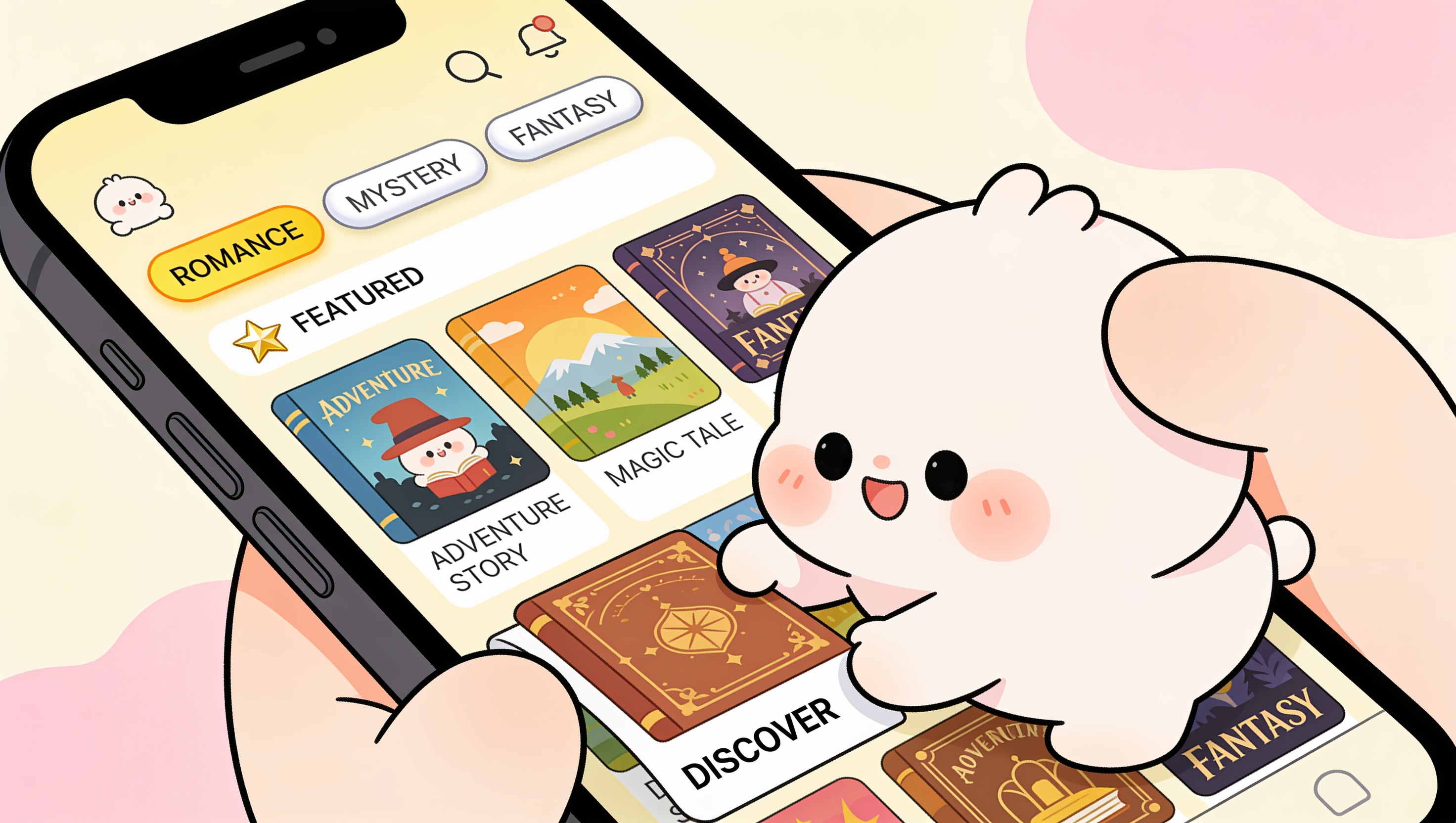
The community library has several discovery surfaces:
- Browse by category: romantic, adventure, fantasy, mystery, chill, spicy. Players filter to what they're in the mood for.
- Browse by mood: warm, thrilling, playful, intimate, eerie, cozy, intense. A "mystery + eerie" scenario surfaces differently than a "romantic + cozy" one.
- Sort by popularity: most played scenarios rise to the top. New releases get a boost in the "new" sort.
- Featured carousel: the top 10 scenarios by play count get prime placement at the top of the browse screen. This is where the most successful adventures live.
- Search: title and description are searchable, so good naming matters.
Step 4: Build Momentum
Players can like your scenario and leave comments (up to 500 characters). Likes act as social proof: a scenario with 50+ likes signals quality to new players. Comments create community around your work. Someone might leave feedback on a character they loved, or a twist they didn't see coming, or a suggestion for a sequel.
Step 5: Iterate
You can't edit a published scenario directly (to preserve the experience for players mid-playthrough), but you can create a new version with improvements. Popular creators often release updated versions based on player feedback: better balanced NPCs, refined lorebook entries, alternate endings.
What Makes a Scenario Popular
The scenarios that rise to the top of the community library share a few patterns:
A killer premise. The best-performing adventures have a hook you can describe in one sentence. "Snowed in at a remote cabin with three strangers, one of them is lying." "You're undercover at a masquerade ball and your target knows you're not who you say you are." If the premise makes someone want to play immediately, half the battle is won.
Distinct NPCs. Players remember characters. The adventures with the most likes and comments almost always have well-written NPCs with distinct voices. A generic cast gets generic engagement.
The right length. The sweet spot is 15-25 minutes. Long enough to feel like a real story, short enough that people actually finish it. Completion rate matters: the algorithm favors adventures people play all the way through.
Good cover art. The AI generates a cover image based on your description, but you can regenerate it until it looks right. A striking cover catches the eye in the browse grid. Most popular adventures have covers that telegraph the mood instantly: dark and moody for mystery, warm and golden for romance.
An achievable goal. Players want to win. If the goal is unclear or impossible to reach, they abandon the adventure. The best scenarios make the goal obvious from the start and satisfying to achieve.
Why This Is Different From Character Card Platforms
| Feature | Janitor AI | Character.ai | Kissable Scenarios |
|---|---|---|---|
| What you publish | Character card (profile) | Character card (profile) | Full interactive adventure |
| Player experience | Chat with one bot | Chat with one bot | Multi-NPC story with their own companion as co-star |
| Discovery | Endless scroll of cards | Endless scroll of cards | Categorized, mood-filtered, sortable grid with featured carousel |
| Social features | Likes | Likes | Likes + comments + play count + featured status |
| Creator feedback loop | Comments on character page | Comments on character page | Comments + completion data: you know if people actually finish |
| Replayability | None (same conversation every time) | None | High: different companion personalities create different experiences |
How to Get Your First Scenario Featured
- Start with a category that's underserved. The community library has 20 built-in adventures heavily weighted toward romantic and adventure. If you publish a great mystery or fantasy scenario, you have less competition for the featured carousel.
- Playtest before publishing. Run through your adventure twice: once with a serious companion, once with a playful one. Fix anything that breaks. Make sure the lorebook entries fire correctly. Check that all NPCs get adequate screen time.
- Write a compelling description. The 300-character description is your storefront. Make it specific and intriguing. "Solve a murder" is boring. "A body. A storm. Three strangers with three different stories, and one of them is lying to your face" makes someone want to click.
- Regenerate your cover art until it pops. First impressions are visual. If your cover looks generic, people scroll past. Spend a few regenerations getting something that captures the mood.
- Share it. Once published, share the link. Your adventure has a unique URL. Post it in AI companion communities, Discord servers, Reddit threads where people ask for recommendations.
FAQ
How do I publish an AI scenario?
Build your adventure in the Kissable scenario creator (title, description, NPCs, lorebook, and goal), then flip the public toggle. Your scenario moves from "My Scenarios" into the community library, where anyone can browse it, read its details, and start playing with their own AI companion.
Can other people play my AI scenarios?
Yes. Once a scenario is public, any player can run it with their own companion as the co-star. Because each player's companion has its own personality and memory, every playthrough is unique: a protective companion and a reckless one will experience the same adventure very differently.
How do I get my scenario featured?
The featured carousel highlights the top scenarios by play count, so the goal is finishable plays. Pick an underserved category, playtest until the lorebook and NPCs fire cleanly, write a compelling 300-character description, regenerate the cover art until it pops, and share the link in AI companion communities to build early momentum.
Can I edit a scenario after publishing it?
Not directly: once a scenario is public, its structure is locked to preserve the experience for players mid-playthrough. To make changes, create a new version with your improvements. Popular creators often release updated editions based on player feedback, like better-balanced NPCs or alternate endings.
Do players need their own account to play my scenario?
Yes. Players experience your adventure through their own companion, so they play inside their own account. That's what makes shared scenarios replayable: the world is yours, but the co-star is theirs.
Related Articles
- How to Create AI Adventures: The Complete Guide
- How to Create NPCs for AI Roleplay
- AI Lorebook Guide: How to Build Worlds Your AI Actually Remembers
- Build AI Adventures on Your Phone: Mobile Scenario Creator Guide
- Best Character AI Alternatives in 2026
Publish your first adventure and let the community play it: start building free.
Tech Reviewer
Marco tests AI companion apps hands-on, comparing features, pricing, and real day-to-day experience across every major platform.